



Twenty links if you still read the pages. Every one of them checked and alive as of August 2026. Enough to actually finish.
Start here (if you’re new)
Three links, and honestly you could spend six months in just these.
- Nielsen Norman Group articles — The closest thing our field has to a canon. Free, research-backed, updated weekly. Start with the 10 usability heuristics, which are from 1994 and still hold up better than most things published last year.
- Laws of UX — Jon Yablonski’s collection of psychology principles that explain why interfaces work. Hick’s Law, Fitts’s Law, the Aesthetic-Usability Effect. He also gives away free posters, which is more generous than the entire rest of the internet combined.
- Interaction Design Foundation’s open literature — Long-form encyclopedia entries on basically every UX topic. The courses cost money; the literature library doesn’t.
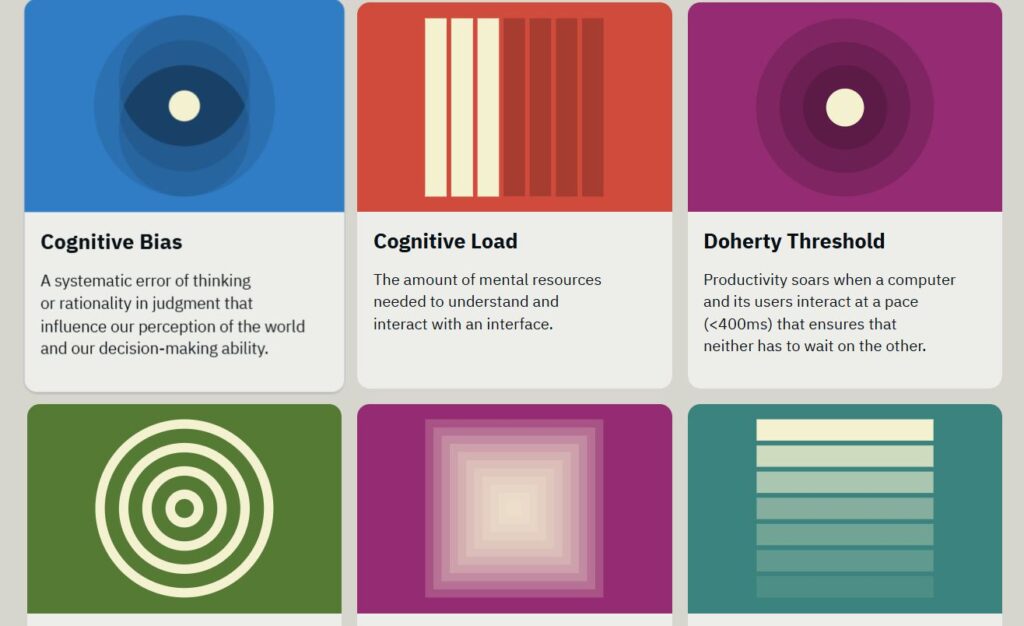
Jon Yablonski’s collection of psychology principles
Learn to actually do research
This is my corner of the field, so I’m going to be picky here.
- UX Research Field Guide — The single best free resource for learning research end to end. Planning, recruiting, methods, analysis. Genuinely better than some paid courses I’ve taken.
- NN/g Research Methods — When you need to know which method answers which question. Their article mapping 20 research methods across three dimensions is the one I still send to stakeholders.
- NN/g’s free templates — Discovery guides, interview plans, research documentation. Steal these instead of building your own from scratch at 11pm.
- A Beginner’s Guide to Finding User Needs — Jan Dittrich’s free, open-source book on qualitative research. Barely anyone talks about it. It’s warm, practical, and it doesn’t assume you work at a company with a research ops team.
- The EPIC library — Ethnography applied to business and organizations. Hundreds of articles and talks. This is where you go once you want research to be more than a checkbox before design starts.
If you only click one thing in this whole post, make it the Field Guide.
Look at real interfaces
Reading about UX is not the same as looking at UX. Half of learning this job is developing an eye.
- Growth.Design case studies — Illustrated teardowns of real products, explained through psychology principles. They’re fun, which is not a word I get to use often here.
- Case Study Club — Hand-picked design case studies from the people who actually made the decisions. Also the best model to copy when you’re building your own portfolio.
- Baymard’s free research — E-commerce UX backed by an obscene number of research hours. Even if you never touch a checkout flow, their write-ups will teach you how to argue from evidence.
- Web Design Museum — Interfaces from 1991 onward, preserved. Yes, I’m biased. But looking at how Amazon or Google actually looked in 1999 will teach you more about pattern evolution than any trends listicle.
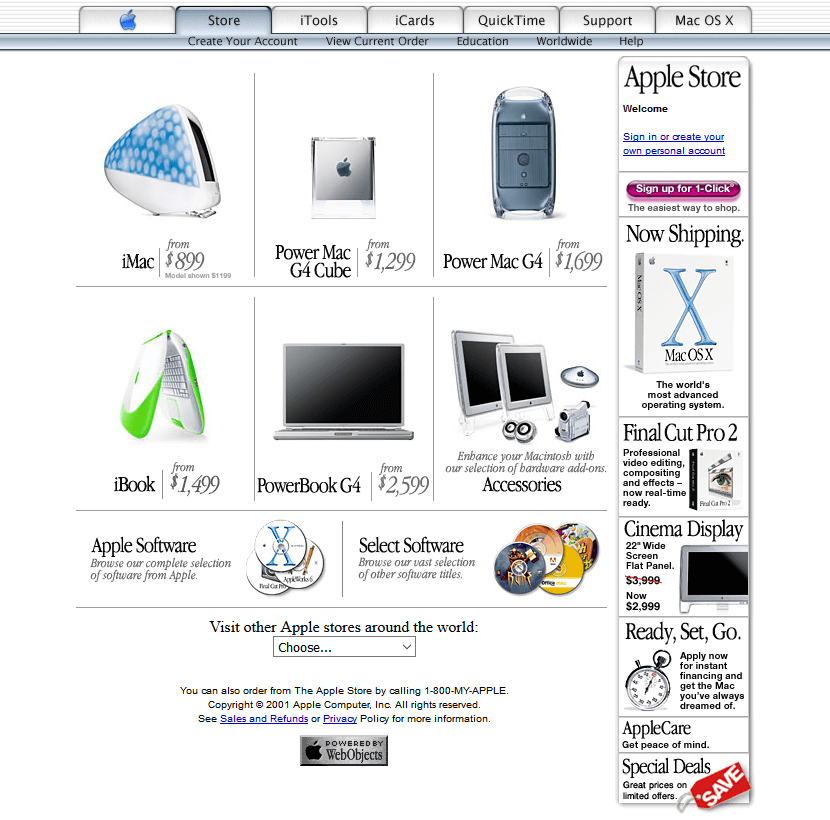
Apple Store 2001. website interface from the Web Design Museum
Keep your ethics intact
Nobody sets out to design something manipulative. It happens by a thousand small “just make the button bigger” decisions.
- Deceptive Patterns — Harry Brignull’s original dark patterns library, still running, now with a whole section tracking regulatory enforcement. Useful when you need to tell a stakeholder that a pattern isn’t just tacky, it’s a legal risk.
- Humane by Design — Design patterns that respect attention rather than farm it.
- Digital.gov — This one’s a small story. Usability.gov was on every resource list for twenty years, and it’s now archived. Its guidance lives on here, along with the plain-language and accessibility standards. Public-sector UX writing is consistently underrated.
Read something every week
- Smashing Magazine — Still publishing, still deep, still one of the few places that treats front-end and design as the same conversation.
- UX Collective — The weekly newsletter is a good pulse-check on what the field is arguing about.
- A List Apart — Publishes rarely now, but the archive is a genuine time capsule of how web thinking developed. Read it the way you’d read old letters.
- NN/g on YouTube — Short, specific videos. Perfect for the ten minutes before a meeting where you have to sound like you know what a semantic differential scale is.
Exhibit: the shelf, not the warehouse
Here’s the placard for this one.
When I started, I thought expertise was a volume problem. Collect enough links, read enough articles, and eventually you’d cross some threshold and become A Person Who Knows UX. So I collected. I had folders.
What actually moved me forward was much smaller: one research guide I read all the way through, one set of heuristics I applied to a real project until I stopped needing to look them up, and a lot of talking to actual people about things they found annoying.
Twenty links is already more than you need.
Pick three. Close the tab. Go talk to a user.
And if you’d rather not do it alone
Lists like this hand you the raw material. They don’t hand you judgement — when to run the interview, which finding to fight for, where AI genuinely helps and where it quietly invents your users’ opinions for you.
That’s the part I teach. The AIxUX masterclass is short on purpose: no twelve-week curriculum, no busywork. Come in with the reading you’ve done, leave knowing what to do with it. Then go read the rest of this list properly.
→ Join the AIxUX masterclass